Your Furgox invoice isn't a flat fee: it's made of what you occupy and what moves. This article explains the pieces and, above all, where to find your numbers at any moment.
What it's made of
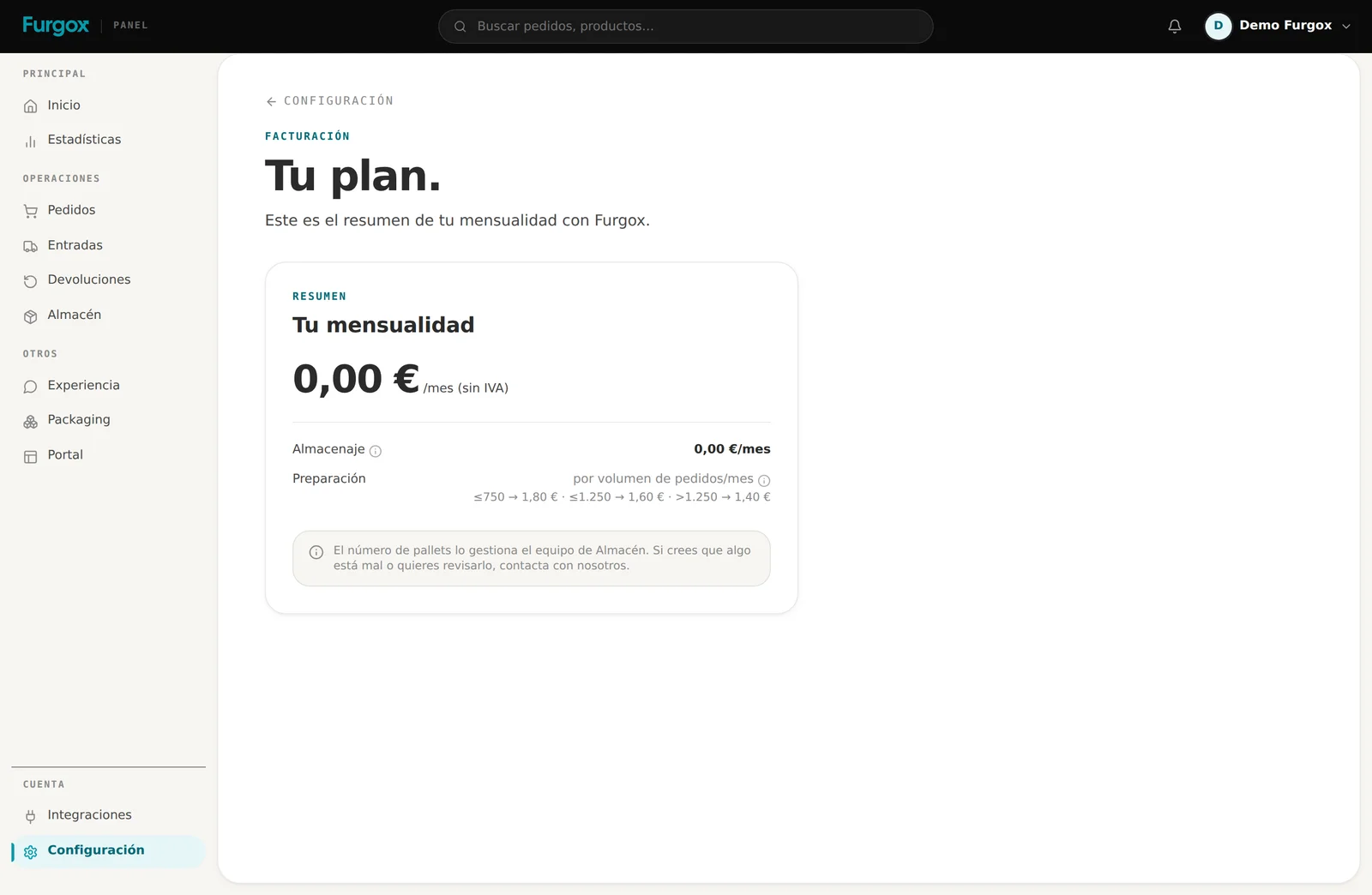
Storage
What you take up in the warehouse, measured in pallets. It's the stable part of the month. The pallet count is handled by the warehouse team based on what you actually have stored; if a month looks odd, write to us and we'll review it with you.
Picking
What it costs to prepare each order: taking the items, packing the box and leaving it ready for the carrier. It's tiered by how many orders you do per month, so more volume means a lower cost per order.
Shipping
The transport of each order. It depends on the carrier, destination and weight, and you see it order by order: any shipped order shows its logistics cost split into picking and shipping.
Goods reception
Every inbound you send us has a fee for receiving it: unloading, counting, matching it against what you declared and putting it away. It's a per-inbound amount that covers the first two packages, plus whatever the extra packages add up to. If the inbound arrives palletised you're charged per pallet and not for the boxes on top of it. You see it on the invoice preview as one line per completed inbound. By default we take the quantities you declare as good: we check the packages and add them to stock as declared. If you'd rather we opened them and counted unit by unit, you choose that when creating the inbound and it's billed separately, per unit counted.
Extra services
One-off things you ask for, such as us labelling your goods when an inbound arrives. They appear on the invoice for the period they happen in.
The amounts in this article's screenshots belong to an example account. Every account sees its own, which are the ones in its contract.
Where to see this month's running total
Under Configuración → Facturación (Settings → Billing) you have the current period's draft invoice: what you're about to be billed, with the period it covers and each line separately — the monthly fee, the pickings with their order count and the shipments with theirs. It updates itself with every order we pick, so there are no month-end surprises.
Your tax details
On that same screen you set the company name, company type, tax ID and address. That's what's printed on your invoices, so it's worth checking once at the start and forgetting about it.
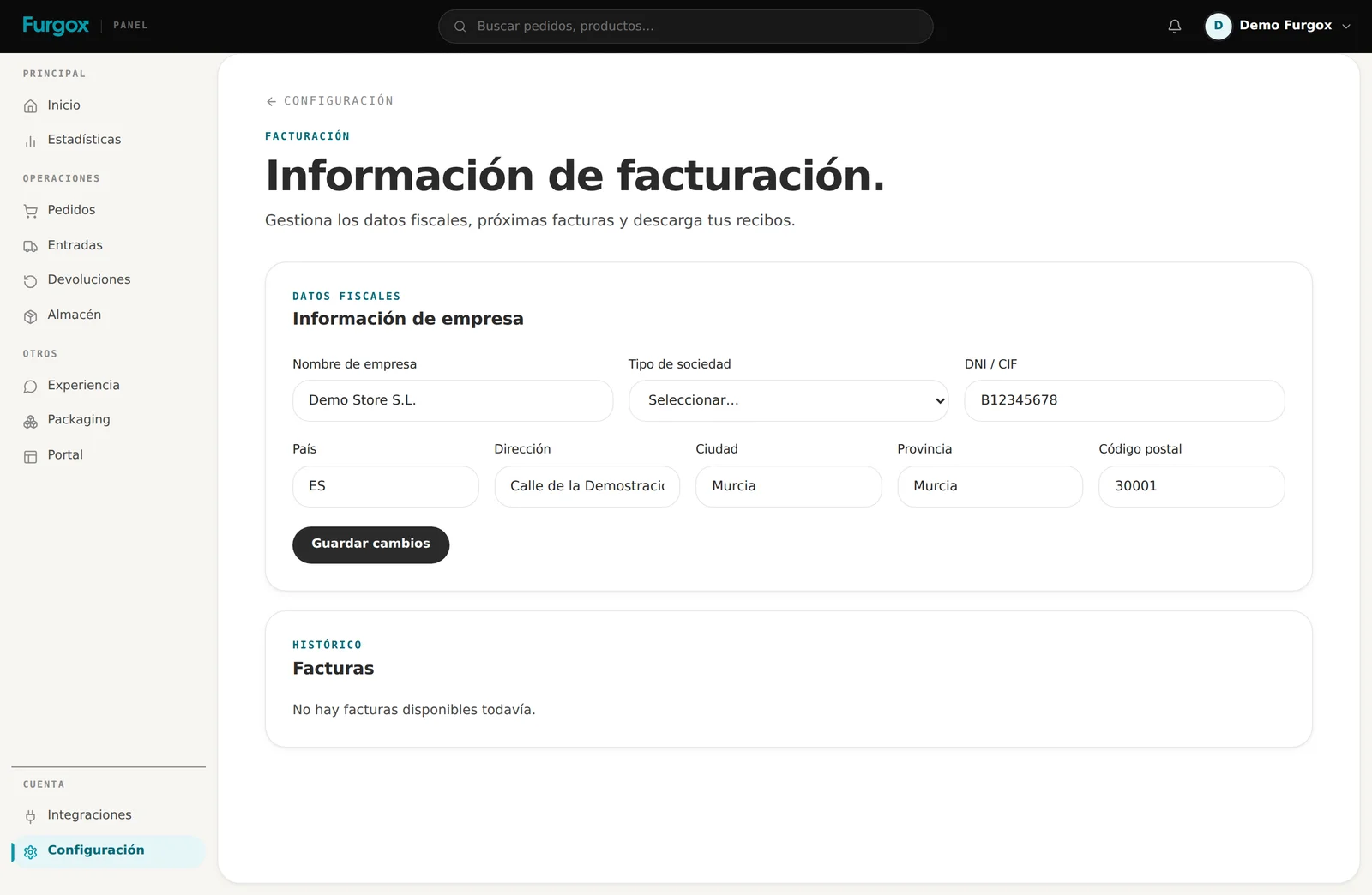
Below it you have the history of issued invoices, to download whenever you need them.
How you pay
Under Configuración → Métodos de pago (Settings → Payment methods) you add a card or a SEPA account. It's a requirement to operate: without a payment method we can't pick orders.
You can have several and change them whenever. If your card expires, change it before the charge lands: a declined payment blocks operations until it's sorted.
FAQ
Do you charge me for orders that aren't picked?
No. A cancelled order, one blocked by missing stock or one with an out-of-zone destination generates no picking cost, because nobody picked it.
What if I sell nothing one month?
You'd still pay storage, because your goods still take up space, but there'd be no pickings or shipments.
When is the invoice issued?
At the end of the period. Until then, what you see under Billing is the draft: the same breakdown, still running.
I think something's wrong on my invoice
Message us from the panel chat with the period and the line that doesn't add up. Having the breakdown in front of you gets it solved in minutes.
Questions about your monthly fee, or want to review your pallets? Write to us and we'll look together.