Between buying and receiving the parcel, several days pass in which the only voice your customer hears is the shipping emails. We send them, but they speak for you: under Experiencia (Experience) you decide exactly what they say and how they look.
The four emails
Order being prepared: when we start packing it in the warehouse.
Order shipped: when it leaves the warehouse, with its tracking number.
Order delivered: when the carrier confirms delivery.
Return requested: when your customer files a return, with their label.
Each one can be paused if you'd rather not send it. Careful with pausing the shipped one: it's the one that removes the most anxiety and leaves you the fewest “where's my order?” emails.
Identity, set once
At the top you define what they all share: your logo and its position, the sender name that appears in your customer's inbox, your brand colour for the header and the button colour.
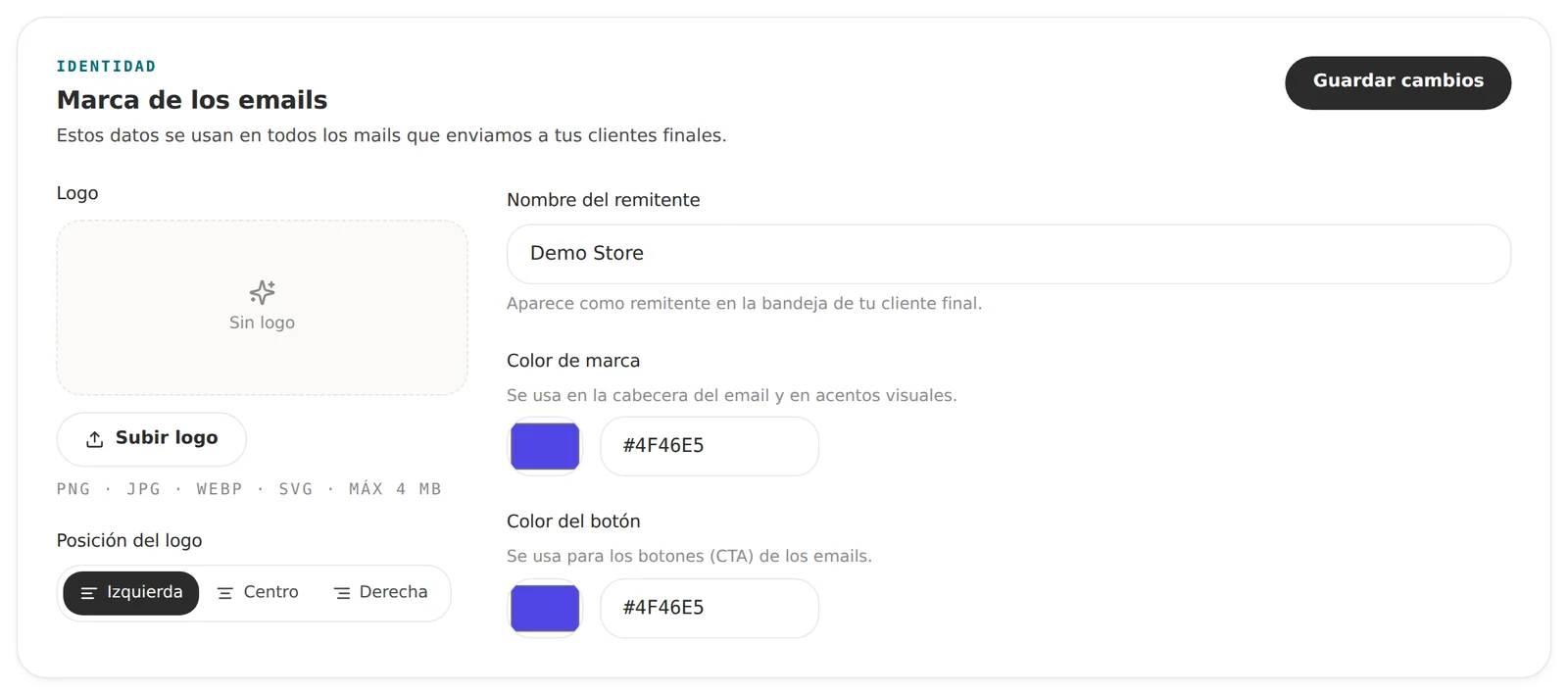
These settings are shared with the returns portal, so setting them once keeps the whole journey consistent.
Each email's content
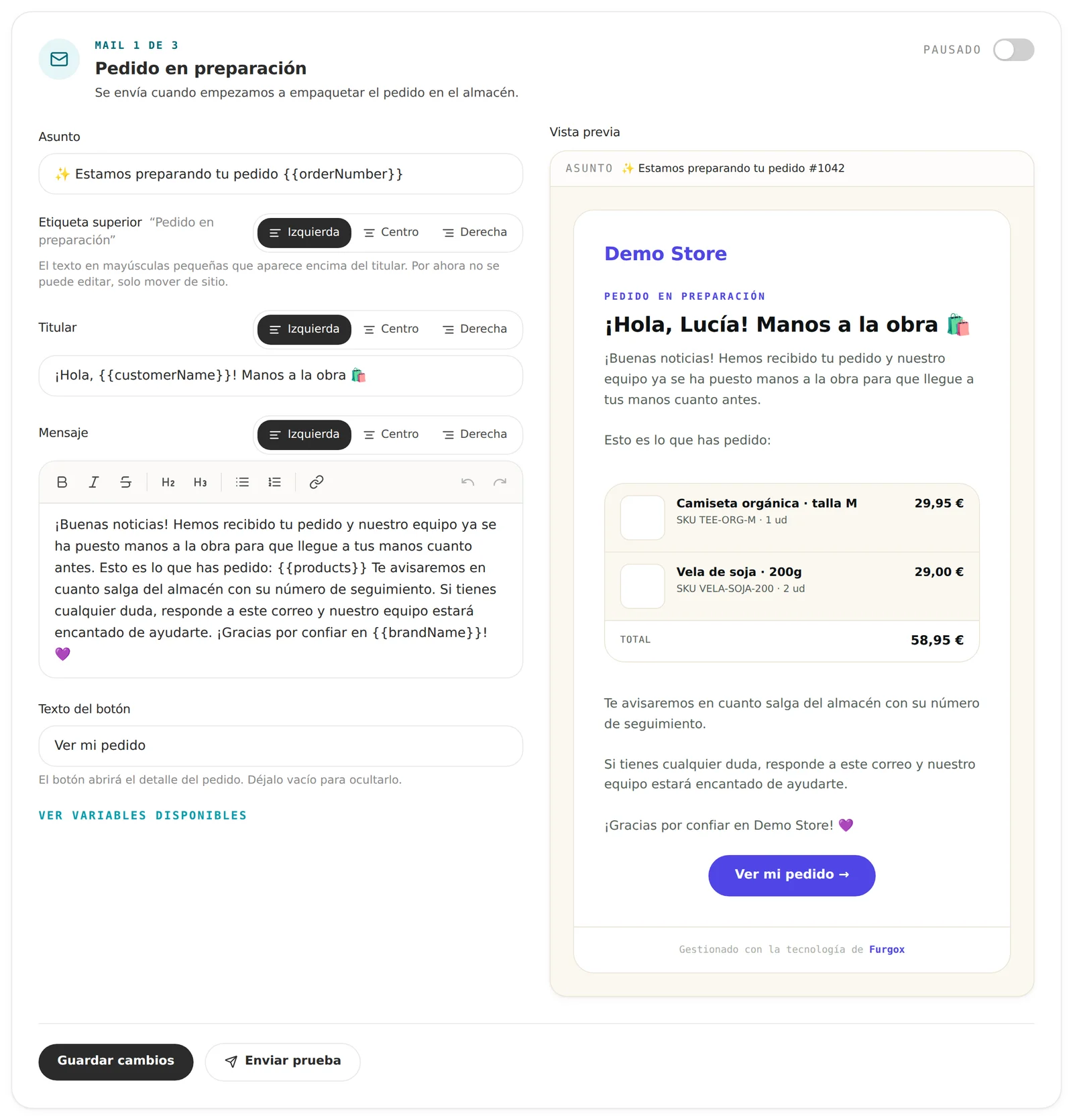
Every email has its own editor with subject, headline, message and button text, plus a live preview beside it that updates as you type.
Variables
You can insert order data by writing it in braces: {{customerName}}, {{orderNumber}}, {{trackingNumber}}, {{carrierName}}, {{brandName}}… The editor itself has a dropdown with all the ones available for that email.
Always write for the worst case: if a variable comes back empty, the sentence still has to make sense. “Hi, {{customerName}}” works; “Your {{customerName}} order for {{customerName}}” doesn't.
The products block
With {{products}} you insert the card with the order's items, including image, SKU and price. It's what makes the email look like it came from a real shop rather than an automated notice.
Test it before publishing
The Enviar prueba (Send test) button sends that exact email to whatever address you give it, with sample data. Check it on a phone: that's where most of your customers will open it.
Tips that work
Write the way you write in your store. If you're informal there, be informal here.
The subject line is read in one line on mobile: put what matters first.
Don't promise timings you don't control (“arrives tomorrow”); say what you know for sure.
Offer a way out: one line inviting a reply beats five links.
FAQ
What address do they come from?
We send from our infrastructure, but with the sender name you configure, so your brand is what shows in your customer's inbox.
Can I have different languages?
Emails use the order's language when your store tells us. The text you write is sent as-is, so if you sell in several countries, write it with your main audience in mind.
If I pause an email, is my customer left without information?
They'll still get whatever your store sends, if you have that set up. What's lost is the shipping follow-up, which is exactly what they want to know.
Want us to look over your copy before you turn it on? Message us from the panel chat.