A return in Furgox isn't a loose email: it's a process with its own label, tracking and statuses — like an order, but backwards. Here's what happens from your customer saying “I want to return this” until the item is back in your stock.
Who can start a return
Your customer, from the portal
With the portal enabled, your buyer goes in, finds their order with the number and postcode, picks which items they're returning and why, and the system hands them the label. You don't have to do anything. You set it all up in Configure your returns portal.
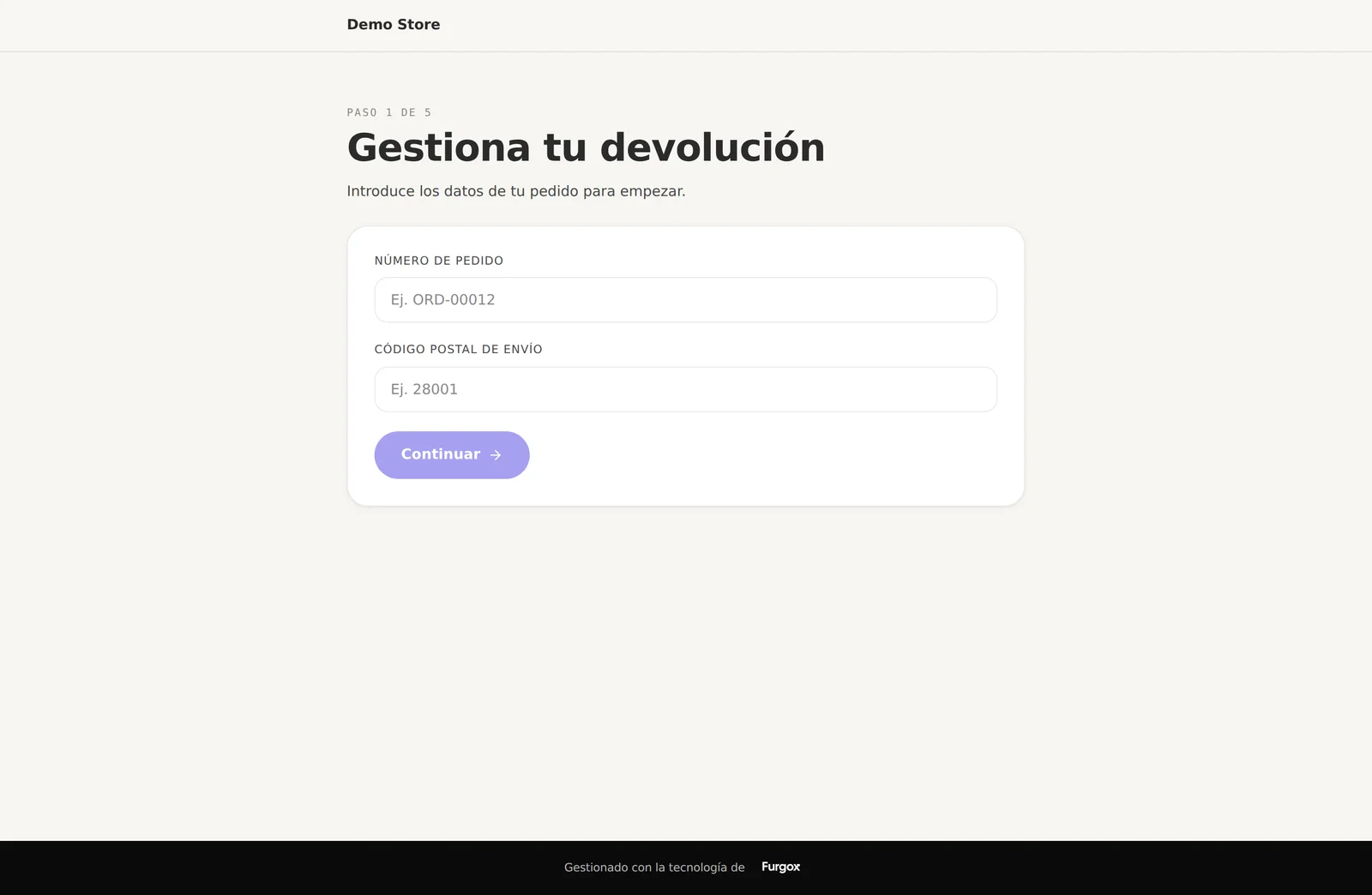
You, from the panel
From an order's page, with Generar devolución (Create return), you pick the items and create the return yourself. Handy when the customer wrote to you on WhatsApp or by email and you don't want to send them to a form.
How the parcel comes back
When the return is created we generate a return label and email it to your customer. Returns travel with Mondial Relay: your customer picks a nearby Punto Pack drop-off point in the portal and leaves the parcel there. No waiting at home for a courier.
If the item arrived damaged or wrong, this is the part your customer appreciates most: two clicks and a drop-off point five minutes from home.
Return statuses
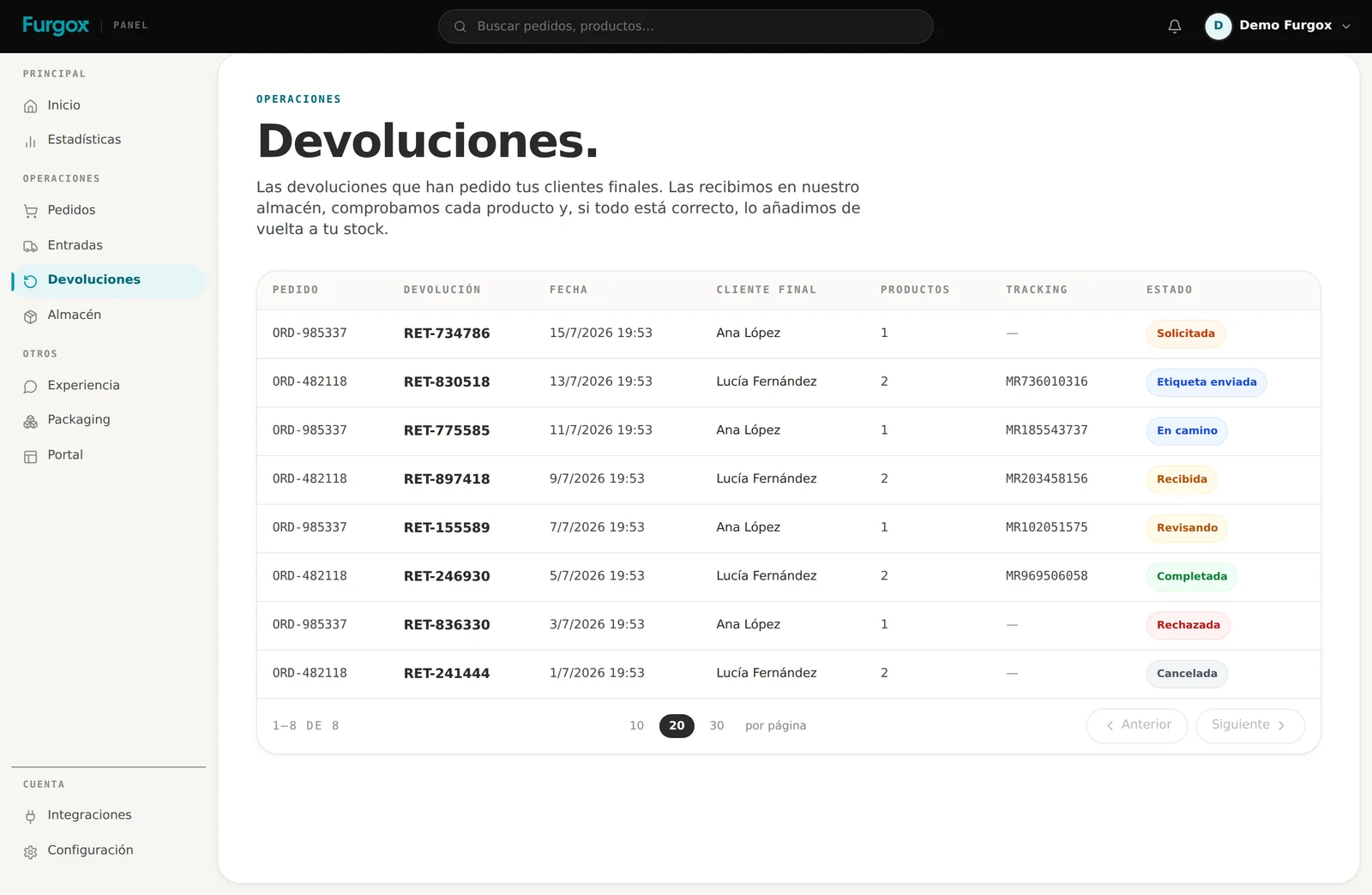
Solicitada (requested): the request exists, the label hasn't been generated or sent yet.
Etiqueta lista (label ready): your customer has the label and it's their turn to move the parcel.
En camino (in transit): the parcel is in the carrier's network.
Recibida (received): it has arrived at our warehouse.
En revisión (inspecting): an operator is checking item by item what condition it came back in.
Completada (completed): inspection done. This is when you can refund.
Rechazada or Cancelada: the return didn't go ahead.
What you see on a return
Each return has its own page with the original order, the end customer, the reason they picked, their comment, the items coming back and the history of what's happened.
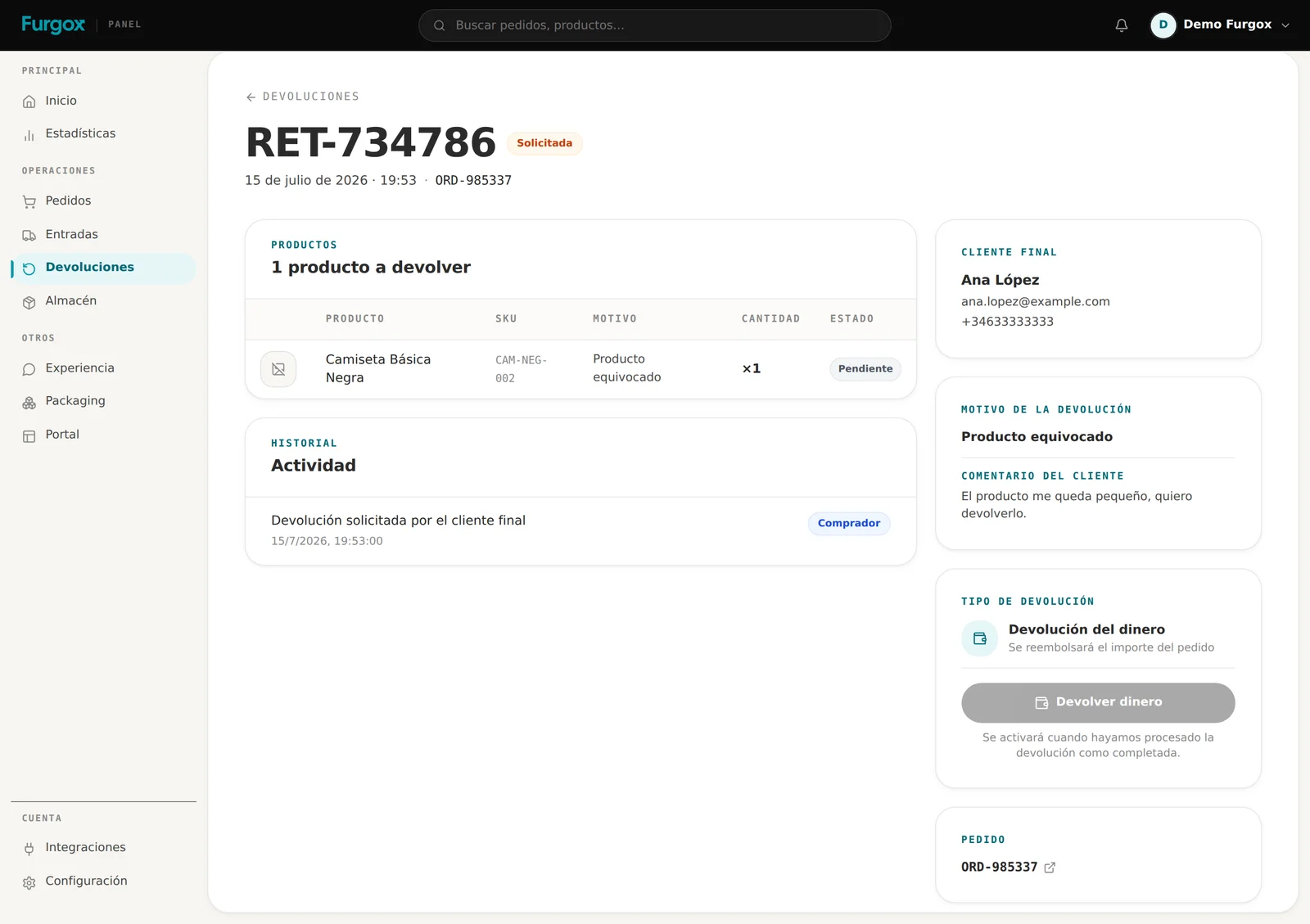
The refund button is there from the start, but disabled until the return is completed: we don't refund blind before seeing what came back and in what state. What we do during that inspection is covered in What we do when a return arrives.
FAQ
Does the customer pay for the return?
That's your commercial policy to decide. Furgox generates the label and handles the return leg; the logistics cost shows in your invoicing like any other shipment.
Can I reject a return?
Yes. If the item comes back out of the window, used, or doesn't match what was requested, the return can end up rejected and we note it on its page.
What if the customer never sends the parcel?
The return stays at “label ready” and nothing else happens: there's nothing to receive or refund. You can cancel it whenever you want.
What if they want an exchange instead of the money?
If you've enabled exchanges in your portal, your customer can choose it. Once the return completes you can generate the exchange order from its page.
Got an odd return on your hands? Message us with its RET- reference from the panel chat.