Not everything leaving your warehouse comes from an online purchase. With Crear pedido (Create order) you generate a shipment by hand from the panel, using products already in the warehouse, and it joins the same queue as the rest.
When you'll use it
Shipments to influencers, press or corporate gifts.
Sales closed over WhatsApp, Instagram or the phone, that never touch the cart.
B2B orders to a physical shop or a distributor.
Reshipping an order that got lost or came back from a wrong address.
Sending yourself samples for a trade fair or a photo shoot.
How to create it
Go to Pedidos → Crear pedido. The form fits on one screen:
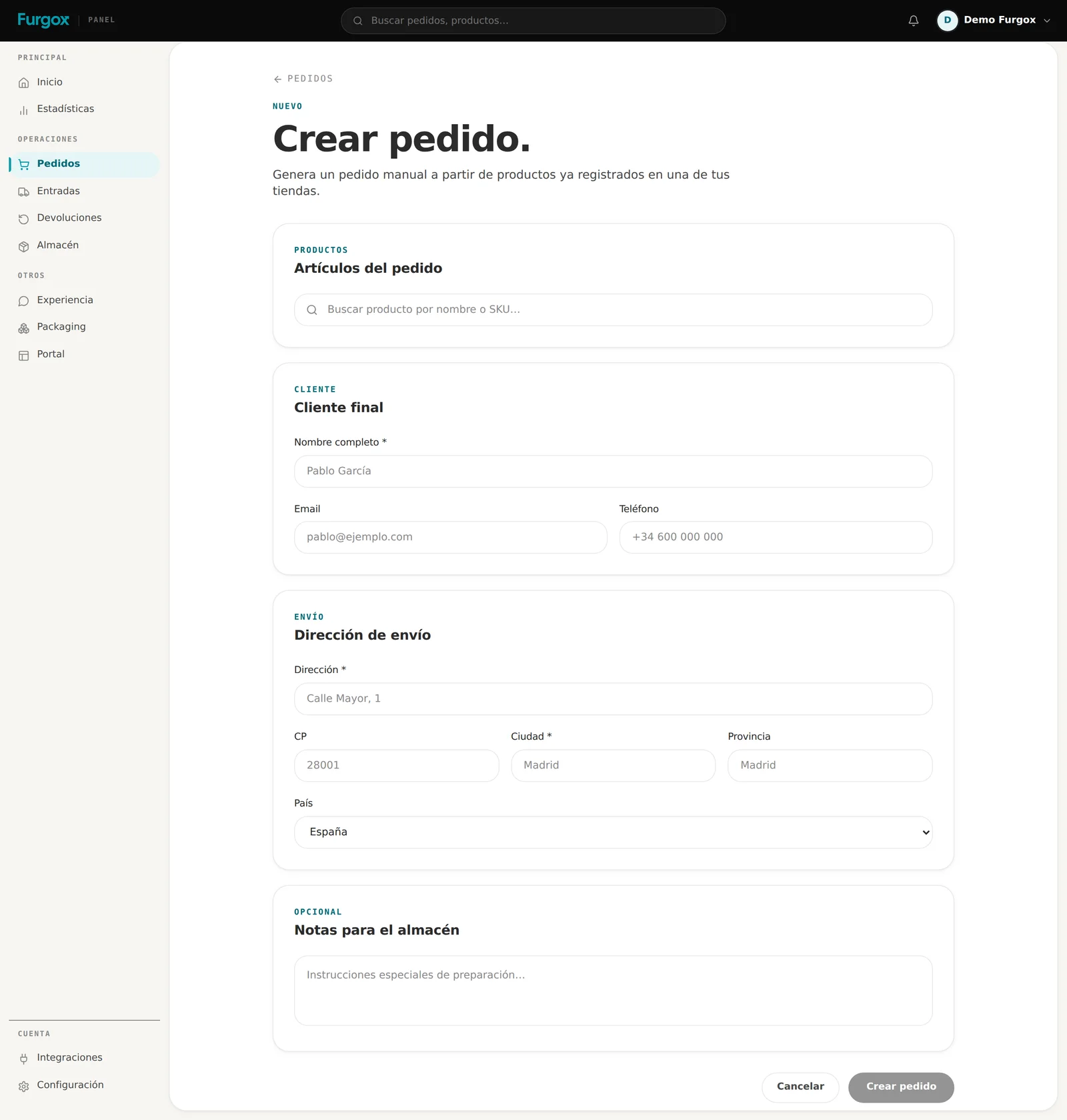
The store: which of your stores the products come from.
The items: search by name or SKU and set units. Next to each product you can see how many units are free.
The end customer: name, email and phone. The phone helps a lot if the carrier can't find the address.
The full shipping address, with postcode and country.
Notes for the warehouse: whatever the person picking it should know (“no invoice inside”, “add a sample”, “it's a gift, no prices”).
Stock has the last word
You can't create a manual order for something you don't have. On confirmation we check the actually available units: what's in the warehouse minus what's already claimed by other pending orders. If it doesn't add up, we tell you which item fails and the order isn't created.
That's why your store may say there are 10 units while this won't let you ship 10: part of them are already committed to orders that haven't left yet.
What happens next
The order is born Pendiente (pending) and follows exactly the same path as one from your store: picked, labelled, handed to a carrier, and you get its tracking number.
If your store is Shopify
We also create the order in your Shopify, tagged furgox-manual, deducting inventory there too. That keeps your store numbers in line with what actually left the warehouse.
If your store is WooCommerce, PrestaShop or Squarespace
The order lives only in Furgox. If you want it reflected in your store, create it there too the way you normally would.
About the amount
A manual order is created with no amount: it charges your customer nothing, it's just a shipping order. Any payment is yours to handle. What is billed is the logistics: picking and shipping, like any other order.
FAQ
Can I create an order for a product I haven't sent you yet?
No. Only products already registered and in stock show up. If it isn't there, send it to us first with an inbound.
Can I edit or cancel it afterwards?
Just like any other order: the address can be fixed until the label is printed, and it can be cancelled while it's Pending or Processing.
Will it show in my statistics?
Yes, it counts as one more order in your operation and in your logistics costs.
Need to send a hundred samples at once? Message us first from the chat and we'll organise it with you.