From the moment your customer hits «buy» until the box lands on their doorstep, the order moves through a series of statuses you can follow live from Pedidos (Orders). Understanding each one answers half the questions before they come up.
How an order reaches Furgox
As soon as your store confirms payment, the order shows up here. On Shopify and WooCommerce it arrives within seconds, because the store notifies us; on PrestaShop and Squarespace we poll the store every few seconds. Only paid orders come through: unpaid ones wait, and are imported on their own as soon as the store confirms payment.
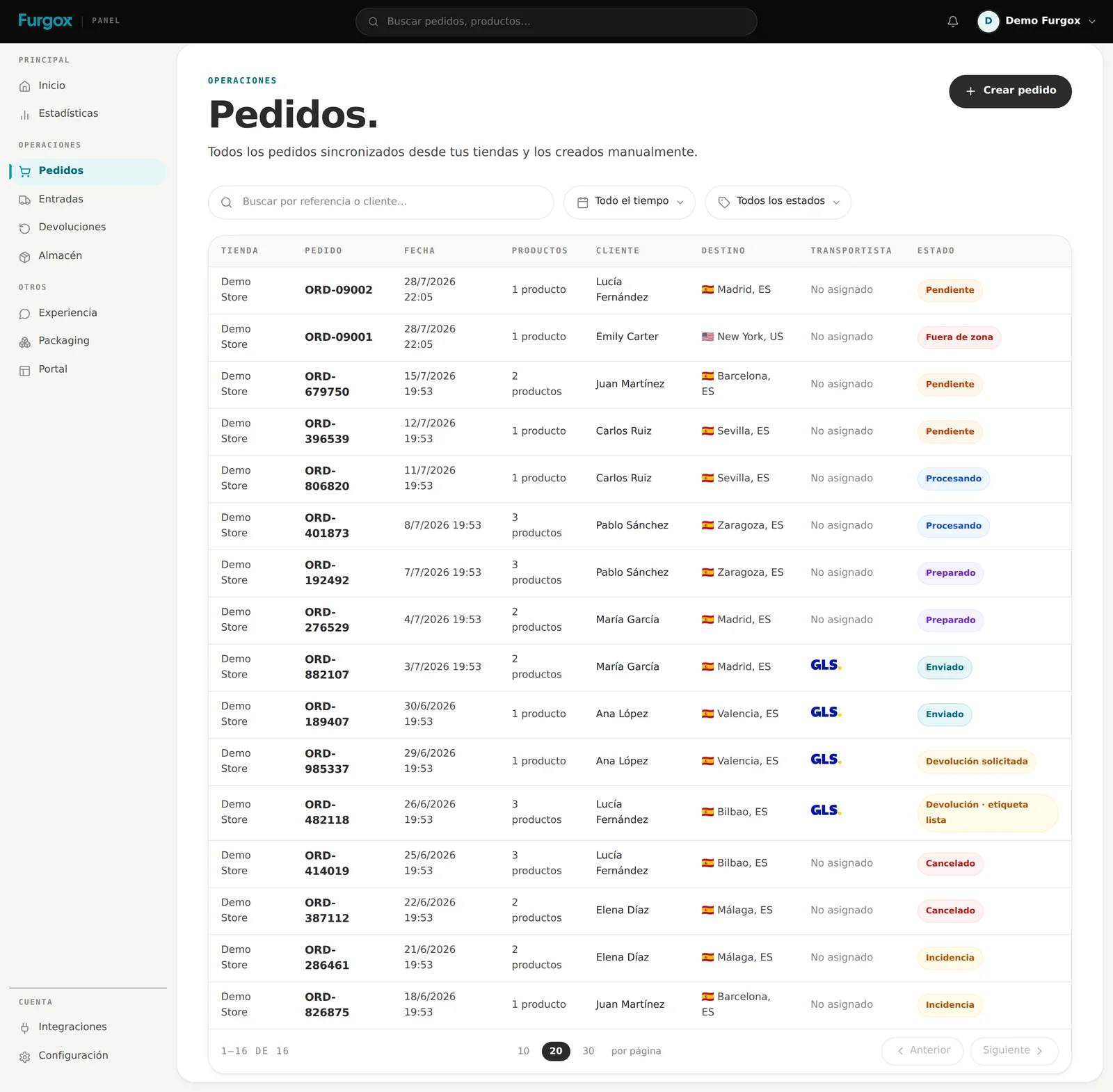
The statuses, one by one
Pendiente (pending)
The order has arrived and is queued at the warehouse. This is where you have the most room: you can fix the address or cancel it yourself.
Procesando (processing)
An operator is picking it: taking the items off the shelves and packing the parcel with your packaging.
Preparado (ready)
The parcel is sealed with its shipping label printed, waiting for the carrier. At this point the stock has already been deducted from your inventory.
Enviado (shipped)
The carrier has collected it. The order page shows which carrier and the tracking number, and that same number travels back to your store so your customer gets their usual notification.
Entregado (delivered)
The carrier confirms delivery. Your portal's return window starts counting from that date.
Incidencia (incident)
Something happened along the way and it needs attention. Full detail in Orders with an incident.
Cancelado (cancelled)
The order was called off before leaving the warehouse. It isn't picked, and its handling isn't charged.
On top of these statuses you'll see two red warnings that aren't statuses but blockers: Fuera de zona (out of zone) and Falta stock (out of stock). Explained in Why an order isn't being picked.
What you see on an order
Opening an order gives you everything on one screen:
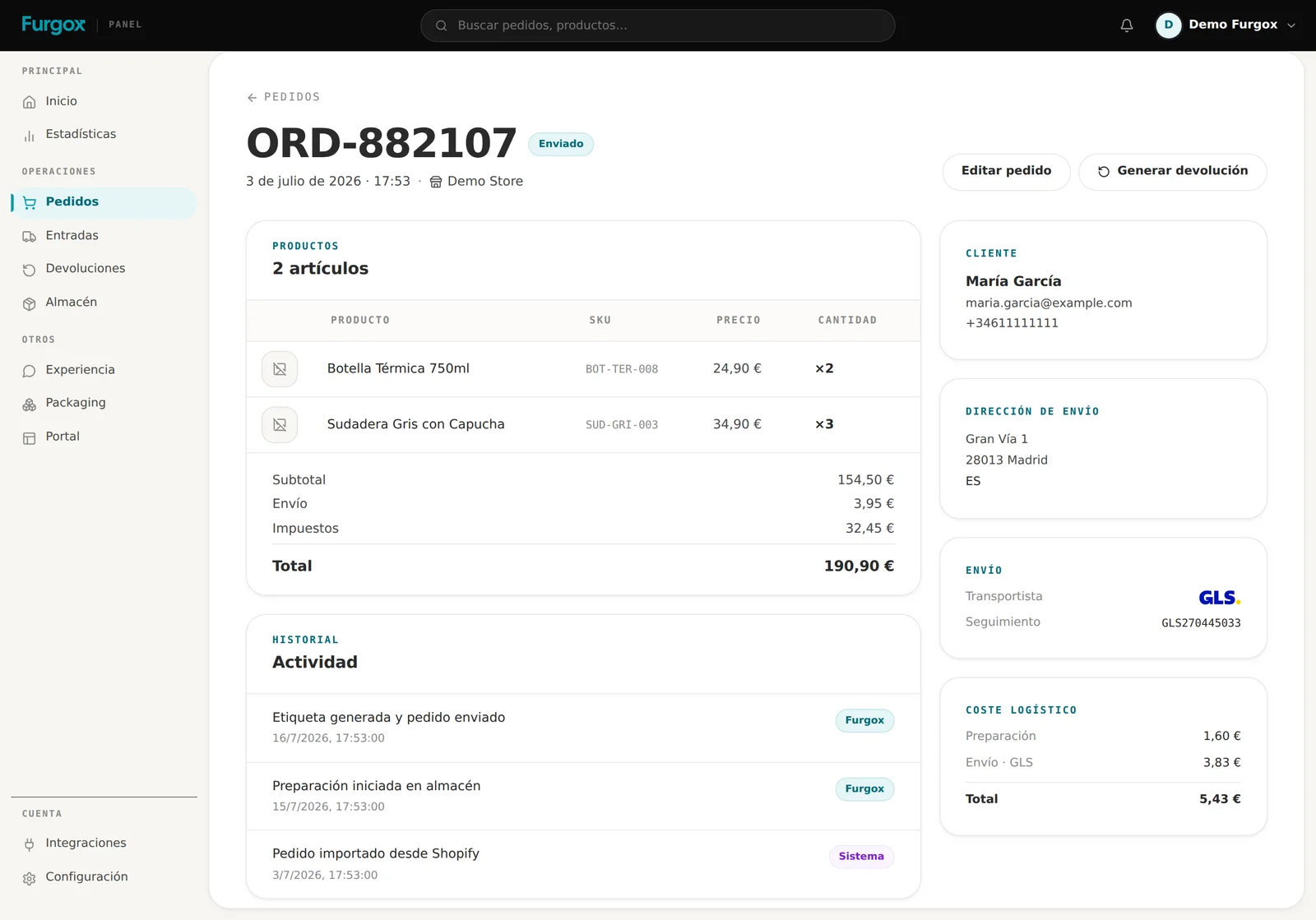
The items with SKU, price and units, plus the order totals.
The end customer's details and the exact shipping address.
The carrier and tracking number, as soon as it ships.
The logistics cost broken down: what the picking costs you and what the shipping costs you for that specific order.
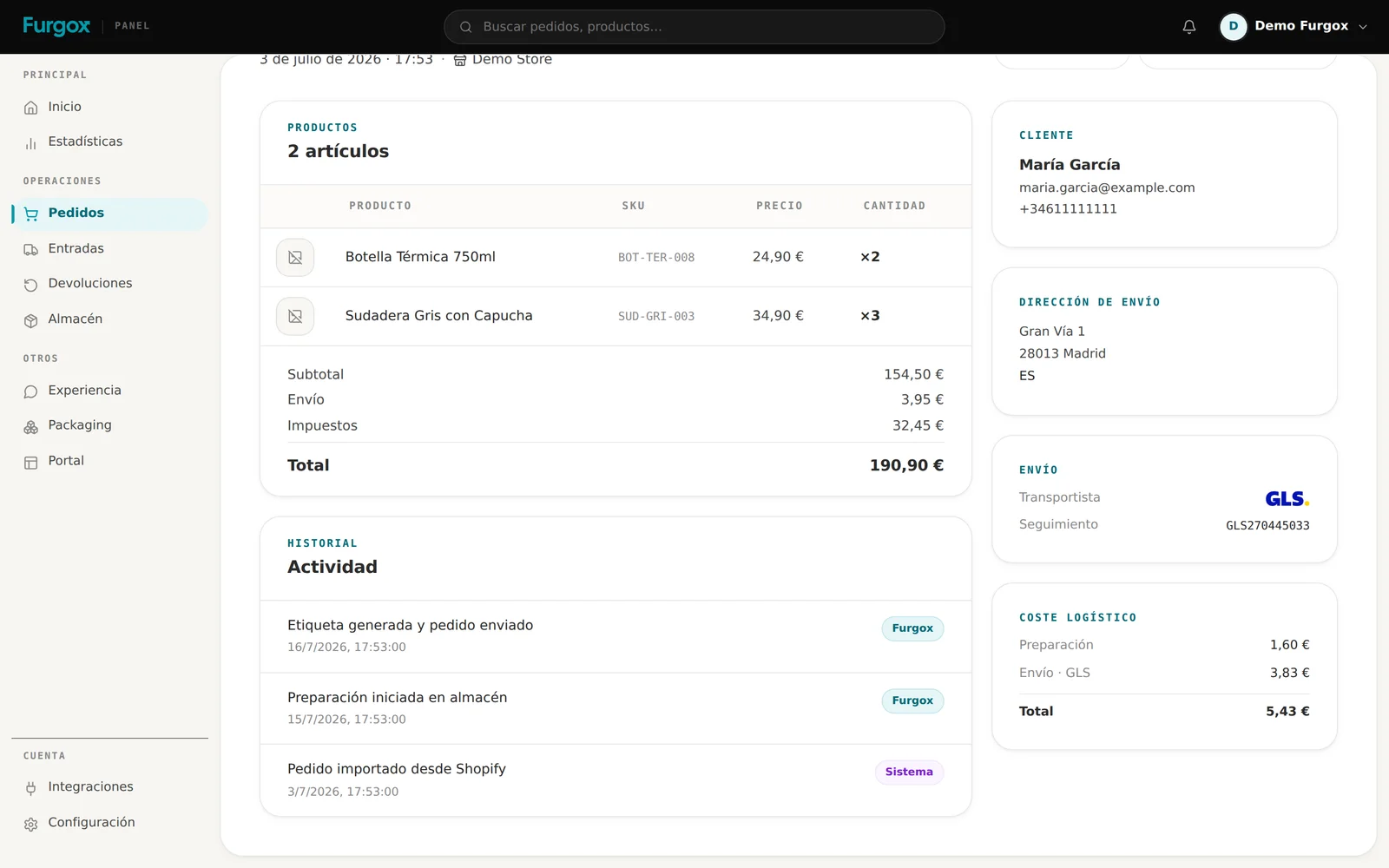
The history tells you who did what
Every movement is logged with its author: Sistema for automatic events, Furgox for our team and Tú for what you do from the panel. It's the first place to look when something doesn't add up.
What you can do, and until when
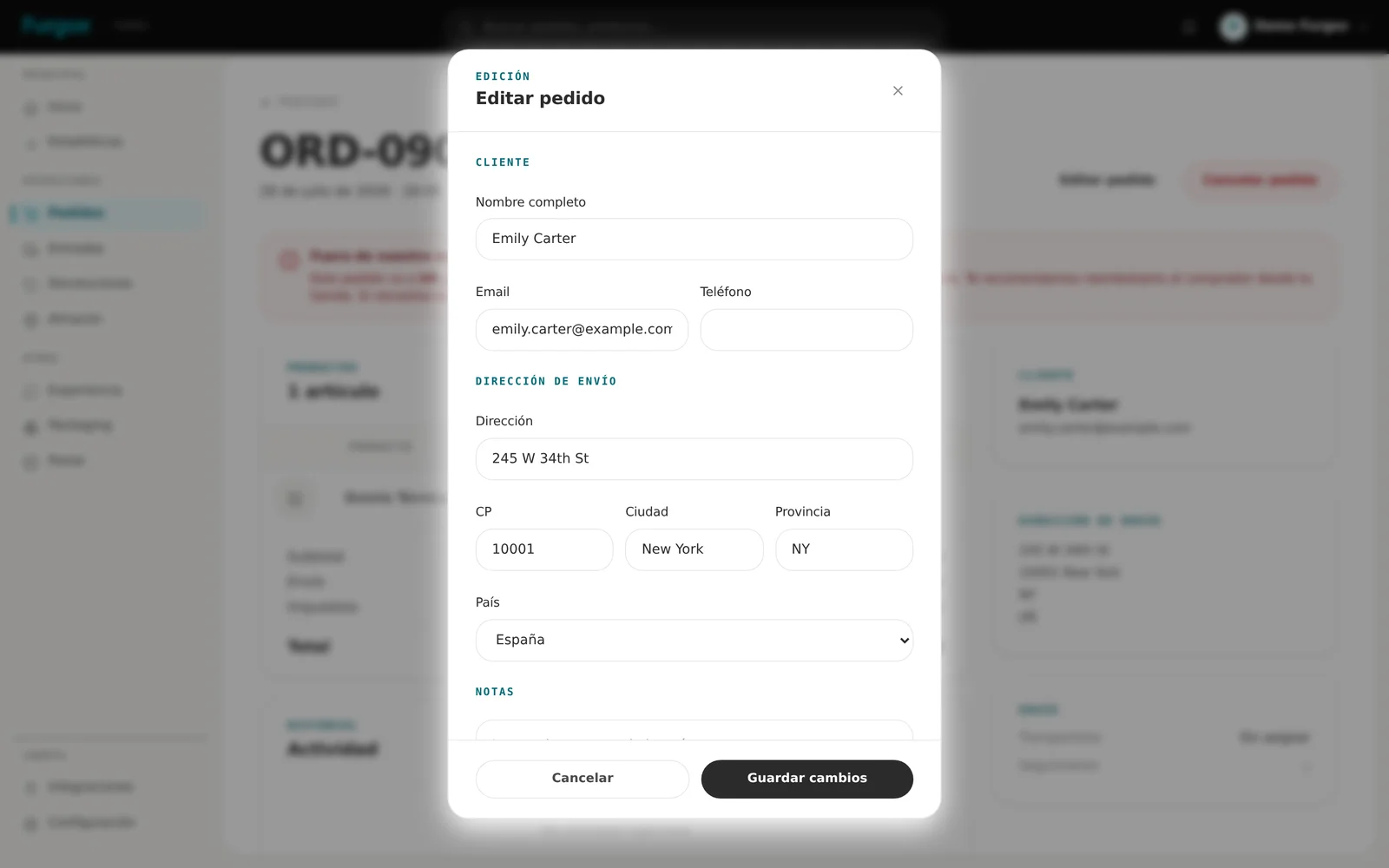
Fix the shipping address
With Editar pedido (Edit order), as long as the carrier label hasn't been printed. After that it's locked: the address is printed on the label.
Cancel the order
Available while it's Pendiente or Procesando. Once it's ready or shipped you can't cancel from the panel: write to us and we'll look at it.
Create a return
From the order itself, with Generar devolución: pick which items are coming back and create the return without your customer having to do anything.
FAQ
Why is an order still Pending?
Either it's in the normal warehouse queue, or it's blocked by missing stock or an out-of-zone destination. Filter by those two warnings to find out.
Does the Furgox status show in my store?
When the order ships we write the tracking number into your store and mark it as fulfilled or completed, depending on the platform. The intermediate statuses (Processing, Ready) are internal to Furgox.
What if the customer asks to change the address after it shipped?
At that point the carrier is in charge. Write to us with the order reference and we'll try to arrange a change or a return to sender.
Got a specific order stuck? Message us from the panel chat with its reference.