When an order sits in Pendiente (pending) for too long, it's almost always one of two things: we can't deliver to that country, or there aren't enough units in the warehouse. Neither fixes itself, so it pays to recognise them.
“Out of zone”: we don't reach that destination
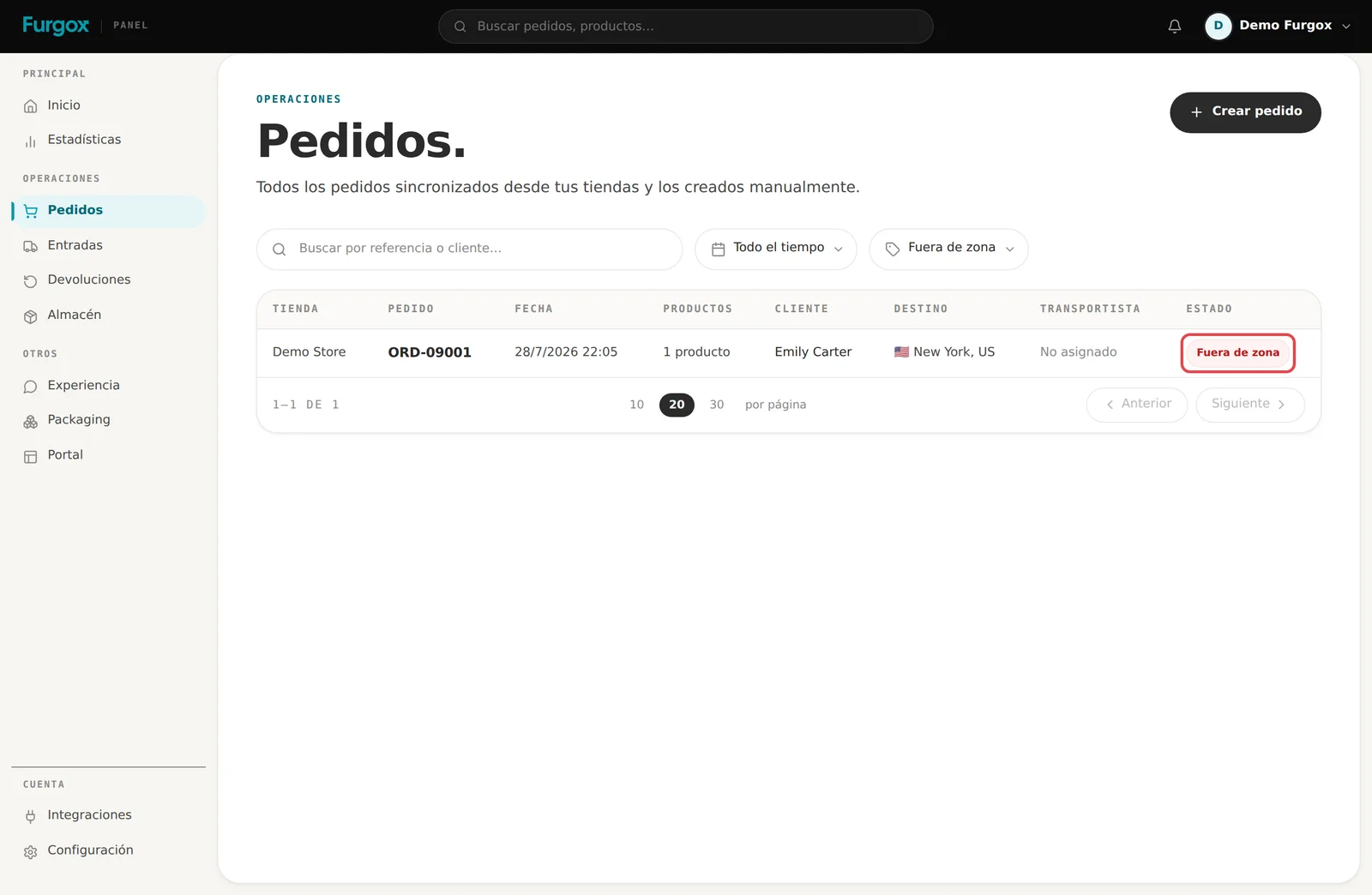
This warning shows in red, covering the order's normal status, when the destination country isn't covered by any zone of our active carriers. With no carrier to take it there's no rate and no label, so the order never enters the picking queue.
What to do
Check the address: sometimes the customer picked the wrong country at checkout. If so, fix it with “Editar pedido” and the warning clears itself.
If the destination is right but we don't serve it, refund the order in your store and tell your customer. The order stays in Furgox as a record, unpicked.
If it's a country you sell to often, write to us: extending coverage is a matter of adding that zone to a carrier, and once it's there the warning disappears from every order to that country.
Today we cover most of Western and Central Europe. If you sell beyond that regularly, tell us before launching the campaign and we'll look into it.
How to avoid it from your store
The cleanest fix is not selling where we can't deliver: limit the shipping countries in your store settings to the ones we serve. That way the customer never even pays.
“Out of stock”: not enough units
The second blocker is more common than it looks: the order asks for more units of an item than physically sit in the warehouse. We can't pick half an order, so it waits.
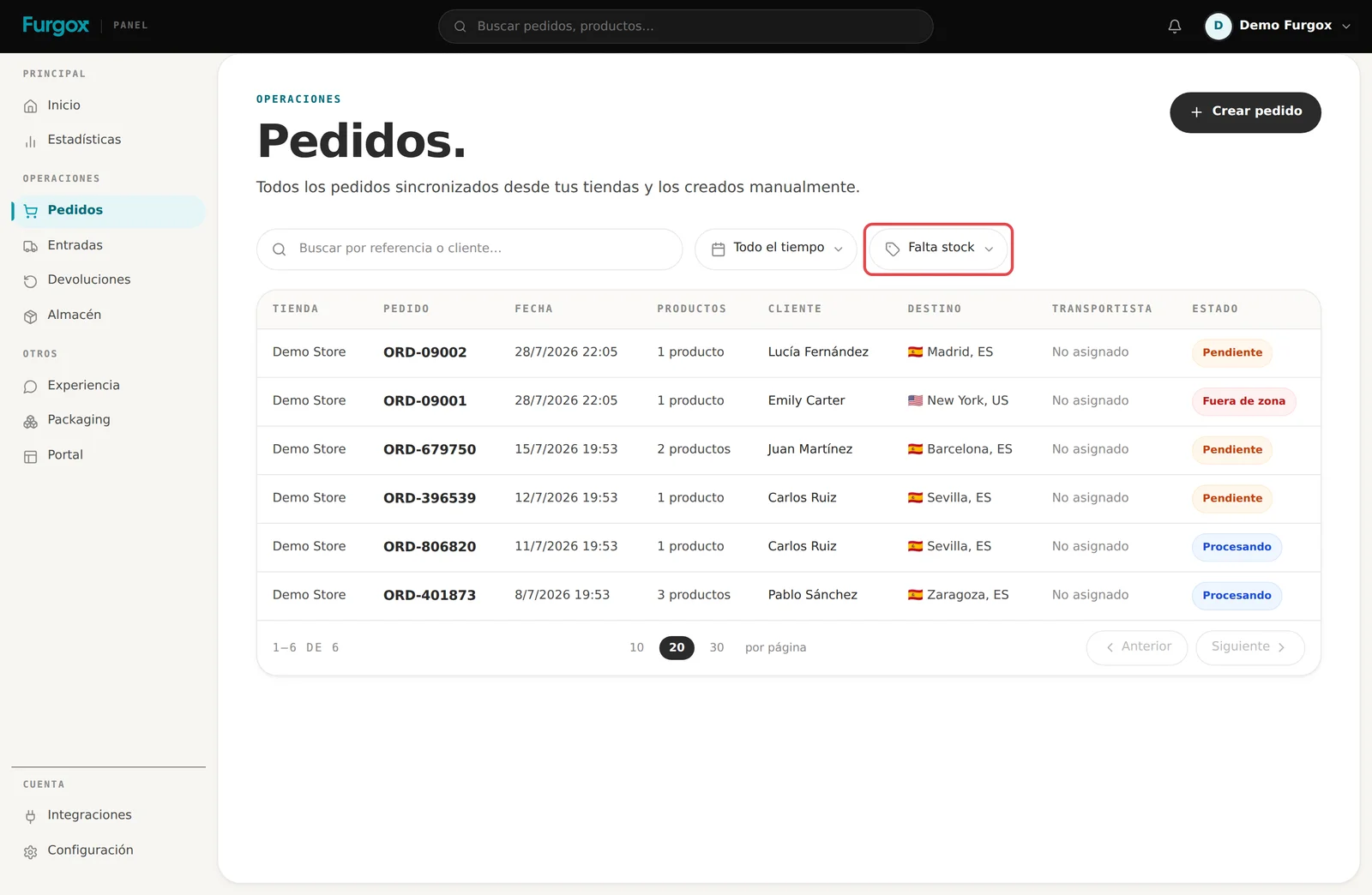
Careful with this one: unlike “Out of zone”, missing stock doesn't paint a warning on the row. The order still shows as “Pendiente”. You need the filter to find them.
How to find them
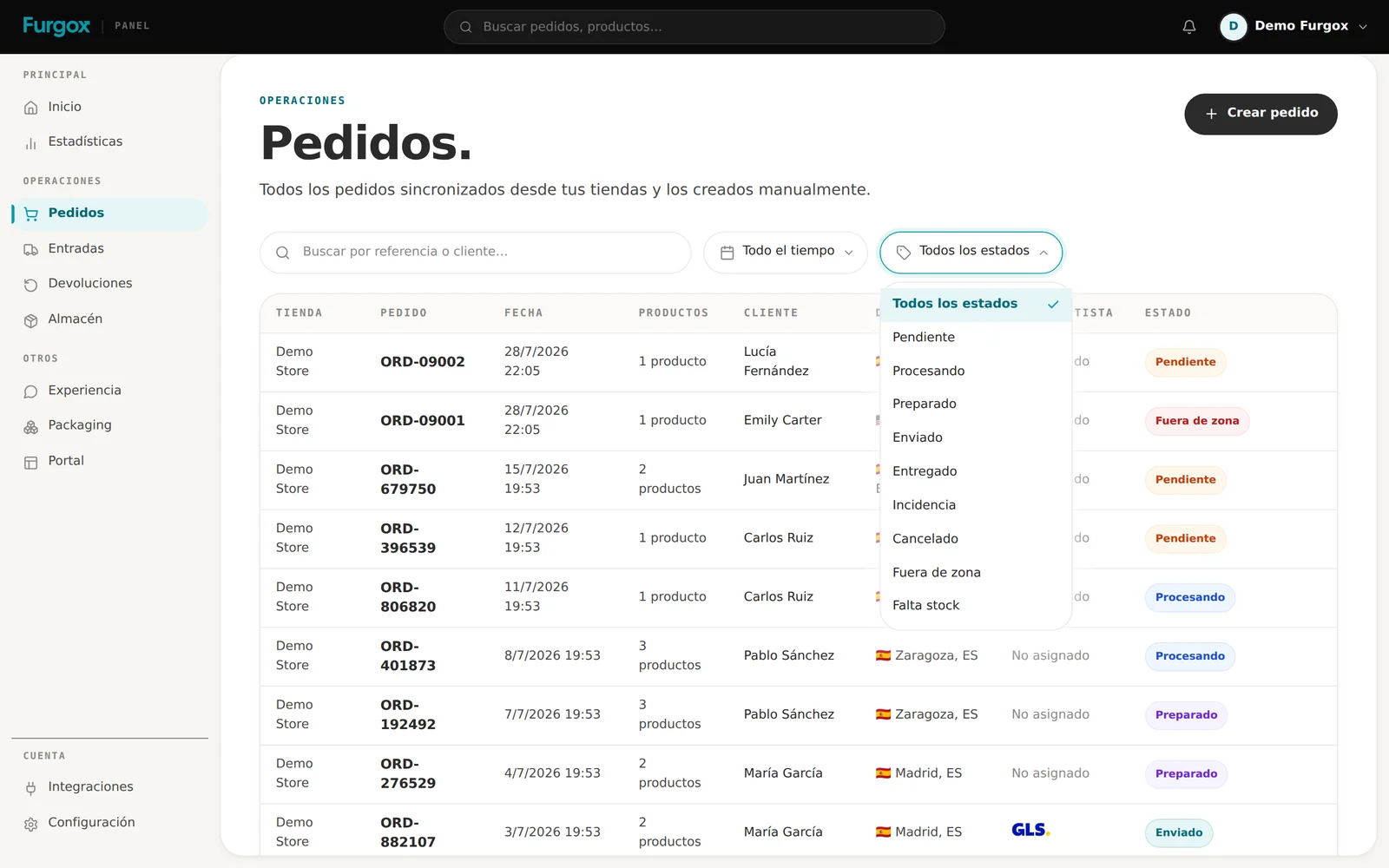
At the end of the status dropdown you'll find the two calculated warnings: Fuera de zona and Falta stock. Filter by the second one and you'll see every order waiting on goods.
What to do
Send us the missing units by creating an inbound: how to create an inbound. As soon as the reception completes, the order unblocks and joins the queue on its own.
If you're not restocking that item, cancel the order in Furgox and refund it in your store.
If the order has several items and only one is missing, write to us: we can look at shipping it partially.
Why it happens even when your store says there's stock
Usually three reasons, all visible under Almacén (Warehouse):
Reserved units: other pending orders have already claimed them. The stock exists, but it's committed.
Goods in transit: you have an inbound created but not yet received. Until we process it, those units don't count.
Reception differences: if fewer units arrived than declared back then, your store may hold a more optimistic number than reality.
FAQ
Does the order pick itself once stock arrives?
Yes. As soon as the inbound completes and there are enough units, the order rejoins the queue without you touching anything.
Do you charge me for a blocked order?
No. We only charge handling for orders that are actually picked.
I fixed the address but it's still red
Refresh the list: the warning is calculated on page load. If it persists, the new country isn't covered either.
If an order has been stuck longer than reasonable and you can't see why, message us with its reference.