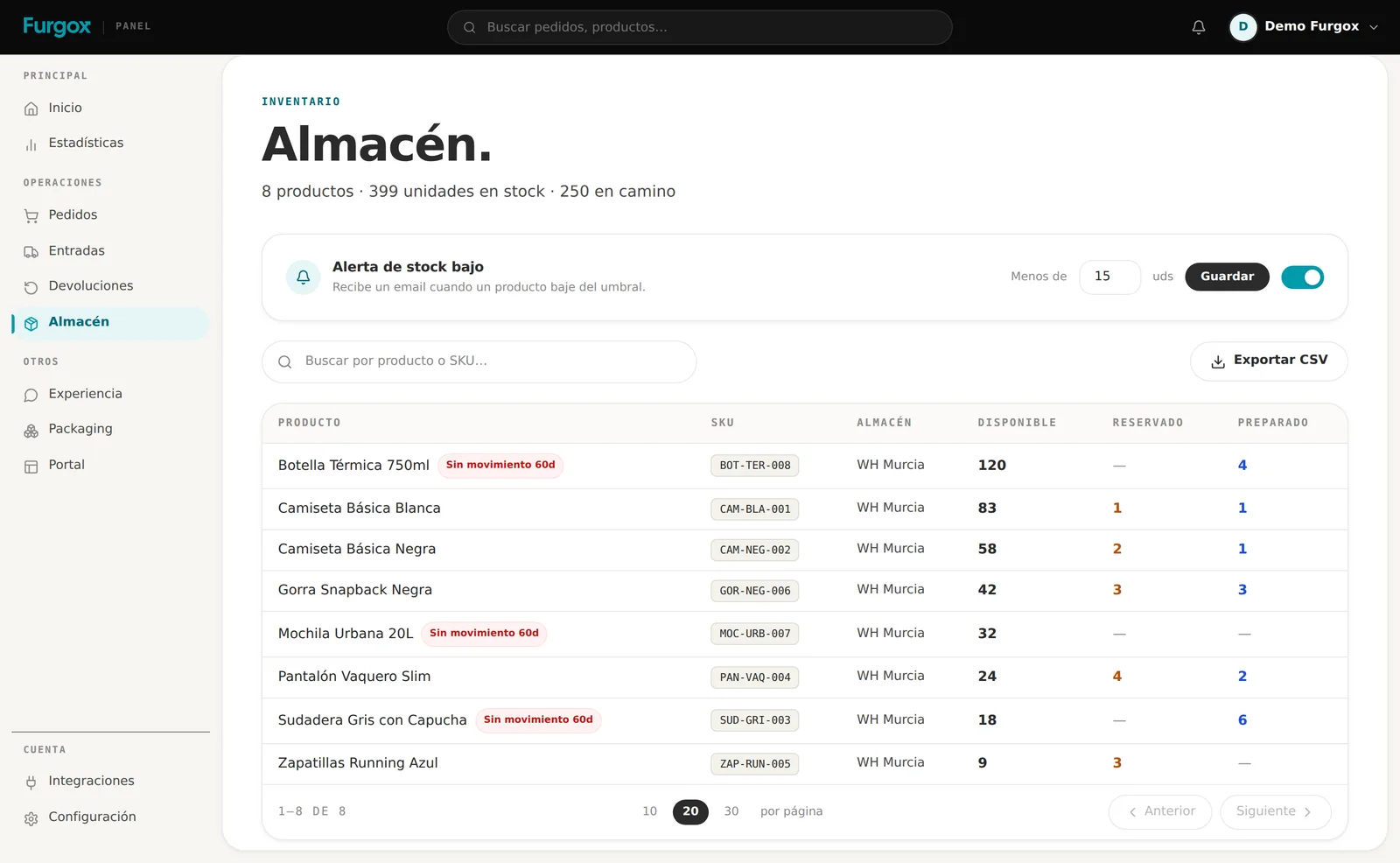
The Almacén (Warehouse) screen is the snapshot of what you have with us. What trips almost everyone up the first time are the three number columns, because a unit can be counted in different places depending on where it is in the process.
The three columns
Available
Free units, ready to sell. It's the number we publish to your store and the one that matters when a new order arrives.
Reserved
Units physically on the shelf that already have an owner: orders that came in and haven't been picked yet. They can't be sold twice, which is why they don't count as available.
Picked
Units that have already left the shelf inside a packed or shipped order. They're no longer in your stock: they show here so you can reconcile what moved.
The maths is simple: what's on the shelf minus what's already committed is what you can sell. If your store says 10 and here you see 7 available and 3 reserved, nothing is missing: three orders are waiting to go out.
The header sums it up
At the very top you get three figures: how many distinct products you store, how many units are in stock and how many are on their way — the ones in inbounds you've created that we haven't received yet.
Flags you'll see in the list
No movement 60d: that product hasn't gone out or been reserved for two months. It's not an error, it's a signal: it's taking up space (and storage cost) without rotating.
Low stock alert: at the top you can set a threshold and get an email when a product drops below it. The cheap way to not find out about a stockout too late.
Each product's page
Opening a product shows its full history: stock evolution over the last 30 days, the latest orders it went out in, the latest inbounds it arrived with, and the movement log.
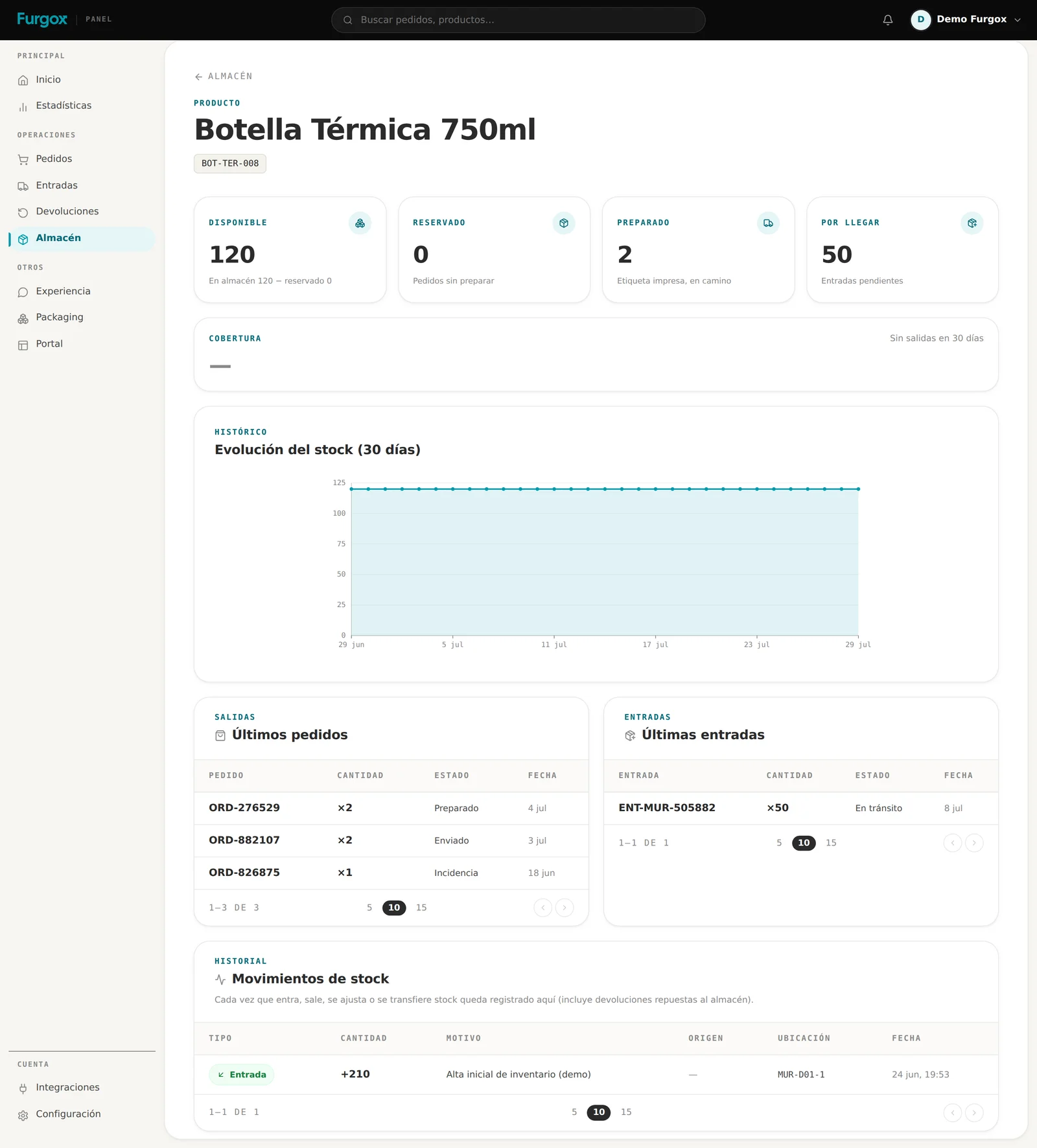
That's where to look when a number doesn't add up: every movement has its date and reason, so you can reconstruct what happened.
Export to CSV
The export button downloads the full inventory as CSV, with SKU and quantities. Useful for reconciling with your accounting or doing your own count.
FAQ
My store says there's stock and here there isn't
Usually it's reserved: the units exist but are committed to pending orders. If it still doesn't add up, check whether you have an inbound we haven't received yet.
I have an order blocked by missing stock
That's the opposite case, explained in detail in Why an order isn't being picked.
When does what I sent you show up here?
When the inbound turns completed: until then it counts as “on the way”. See How to create an inbound.
Can I see the exact location it's in?
The warehouse column tells you the logistics centre. The specific slot inside the warehouse is ours to manage and can change: what doesn't change is the SKU.
A number that doesn't add up? Message us with the SKU from the panel chat and we'll check it.