Every connected store has its own card under Integraciones (Integrations) with four actions. They look similar but aren't: one reimports data, one re-registers notifications, one cuts the connection and the last one deletes the store.
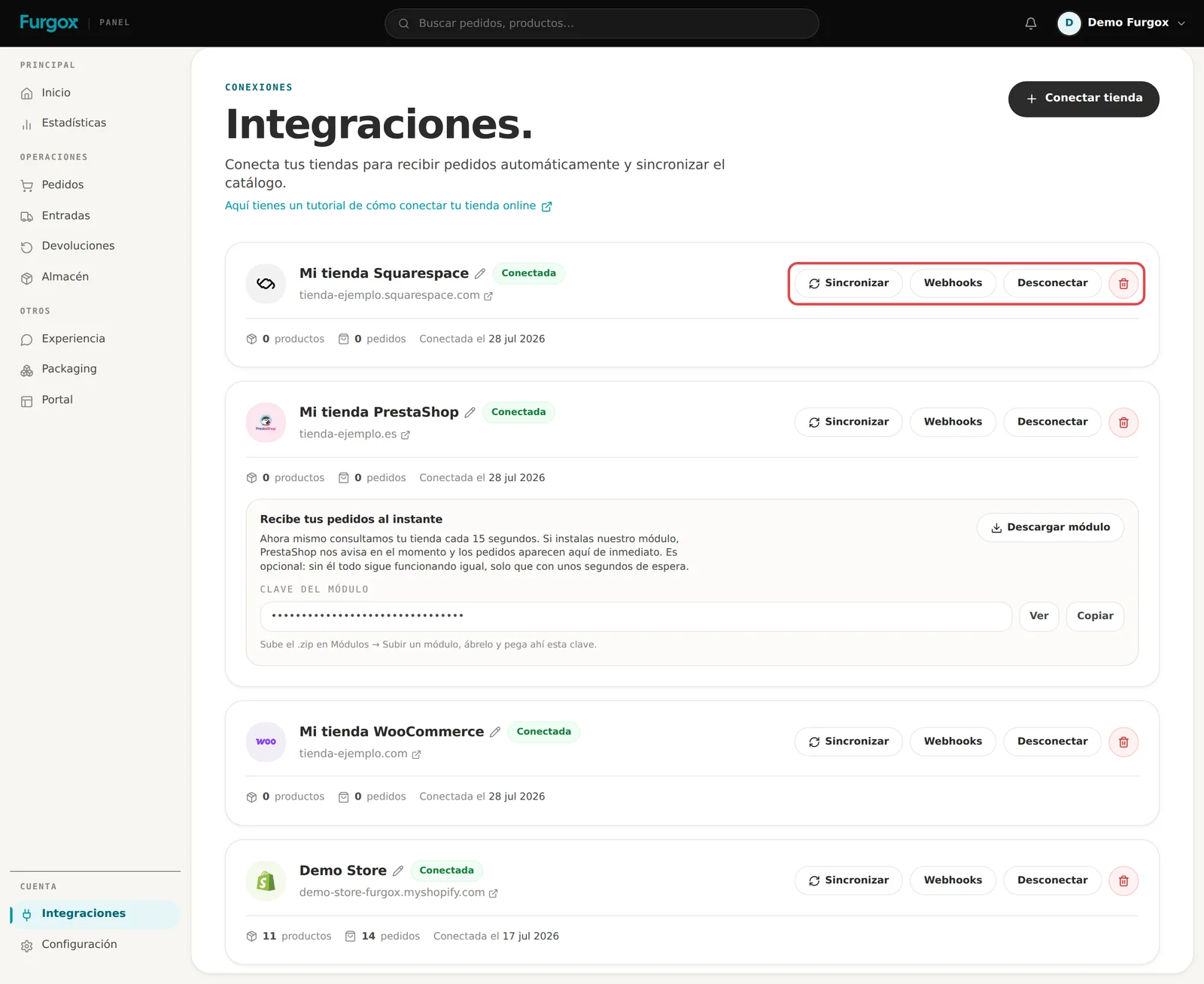
Sincronizar (sync)
Reads your store again: reimports the catalogue and the orders. This is the button for when you've added products and they don't show, or when you want to be sure nothing was left behind.
It doesn't duplicate anything: existing products and orders are updated, not recreated.
Webhooks
Re-registers in your store the automatic notifications that tell us about each new order. Use it if orders suddenly stopped arriving on their own but do show up when you hit Sync: that means the notification broke after some change in the store.
On PrestaShop and Squarespace this button changes nothing: those platforms don't notify us on their own and we poll them every few seconds.
Desconectar (disconnect)
Cuts syncing but keeps all your history: orders, inbounds and products stay. We remove the credentials and deregister the notifications in your store.
This is what you want when:
You're stopping sales on that store but want to keep the history for your books.
You're migrating platforms and want to cut before connecting the new one.
You want to temporarily stop orders coming in.
From then on we stop publishing stock to that store: it keeps the last number we wrote. The card turns to Desconectada (disconnected) and a Reconectar button appears to authorise it again whenever you want.
Delete
The red button removes the store from the panel. It only works if that store has no orders and no inbounds: if it does, we tell you how many and ask you to use Disconnect instead, because deleting would take with it history you may need for your invoicing.
Renaming a store
With the pencil next to the name. It's cosmetic, but with three connected stores it helps to call them “Store ES”, “Store FR” and “Outlet” rather than staring at three similar domains.
Common situations
My store changed domain
Connect the store on its new domain as one more integration. You can disconnect the old one: its history stays where it is.
I'm switching platforms
Connect the new one, check orders come in, then disconnect the old one. Having both connected for a few days breaks nothing.
I want to move the store to another Furgox account
A store can only be connected to one account at a time. Disconnect it from the current account and you'll be able to connect it on the other.
I revoked the key from my store
The connection becomes useless and the card will end up as Disconnected. Hit Reconnect and authorise again: no orders or history are lost.
If you're torn between disconnecting and deleting, disconnect: you can always go back.