When you connect your store we import your catalogue. It's a quiet step, but it decides a lot afterwards: how we identify each item on the shelf, what stock your buyer sees and why a new code sometimes appears on your products.
What we import
We read your products and every one of their variants: title, SKU, barcode and image. For the warehouse, each variant is a different item — blue size M and blue size L sit in different slots — so they're registered separately.
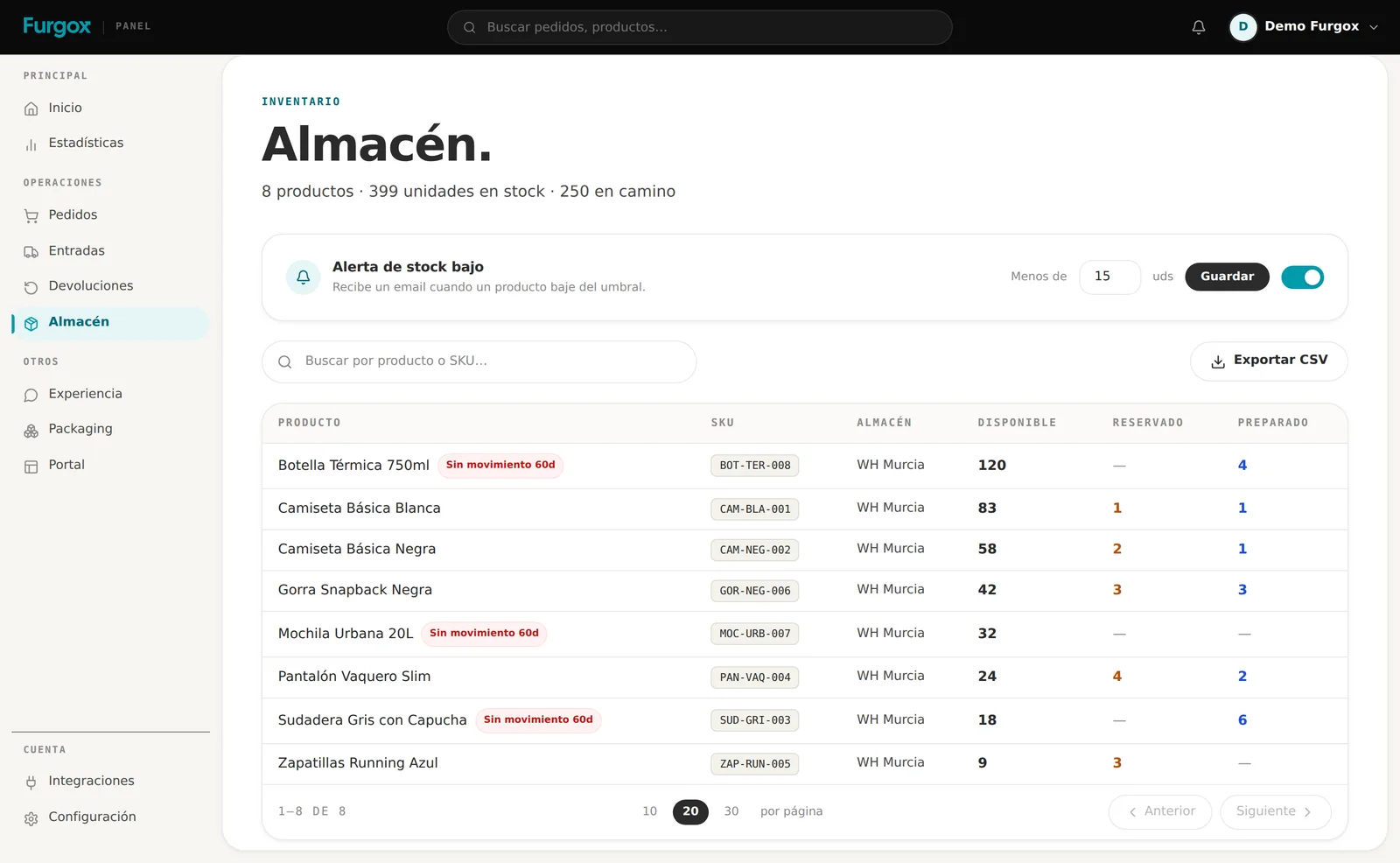
The SKU is each item's identity
It's the code that ties what you sell in your store to what physically sits on our shelf. If both sides don't share a code, there's no way to know what to pick.
The code the warehouse works with is ours
On import we keep the SKU exactly as it comes from your store, but it's only a starting reference. The operational code — the one printed on the product label and read by the scanner on the shelf — is always a Furgox SKU: FRG-XXXXXXXX.
When it's assigned
The first time you include that product in an inbound. If its SKU doesn't start with FRG-, we generate one and it replaces whatever was there. If it already had one, because it went through an earlier inbound, we reuse it and touch nothing.
What happens in your store
So both sides speak the same language, that code is written into your catalogue too: on Shopify at the moment it's assigned, and on PrestaShop and Squarespace on the next sync. Not on WooCommerce: there the Furgox SKU lives only in the panel and your store keeps yours.
If you run your inventory on your own internal references, bear this in mind: from the first inbound onwards, the code that rules in Furgox is the
FRG-one. Keep the mapping if you need it for your books.
What we do NOT touch
Your prices, descriptions, images, categories and collections are yours and we never modify them. From your catalogue we only read.
The only things we write into your store are:
Available stock, based on what's really in the warehouse.
The Furgox SKU, when the item enters its first inbound (Shopify, PrestaShop and Squarespace).
The tracking number of the order, when it ships.
How we publish stock
As inbounds arrive and orders go out, we update the units in your store. On Shopify we do it on a dedicated location called Furgox Warehouse, so we don't mix with inventory you hold elsewhere, and we make sure the product is published to your sales channel: otherwise your store would say “sold out” even with units available.
What happens when your catalogue changes
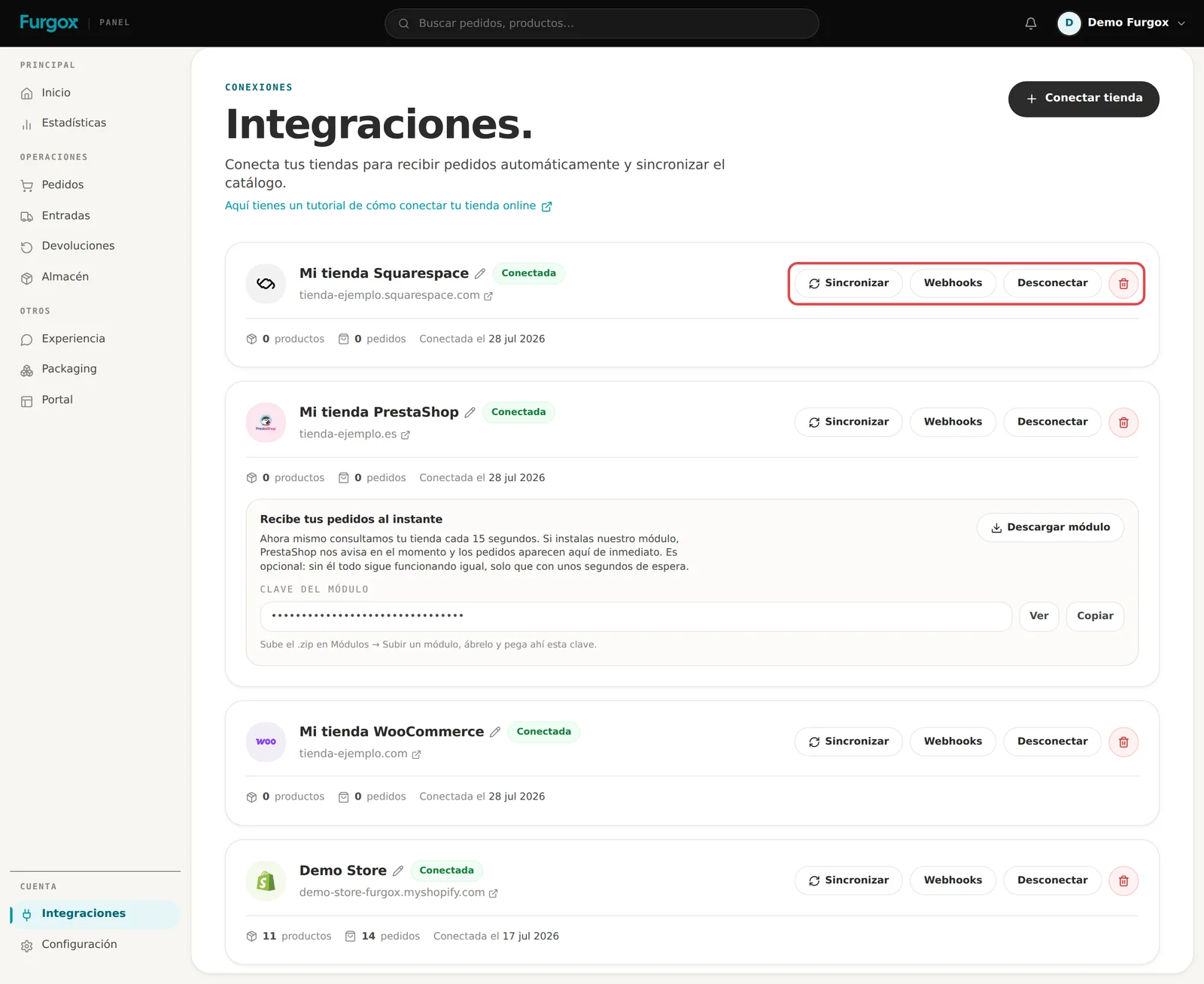
If you create or edit a product after connecting, Shopify and WooCommerce notify us immediately; on PrestaShop and Squarespace we catch it on the next poll. Either way, you can always force a reimport with the store's Sincronizar (Sync) button.
FAQ
I added products and they don't show up
Hit Sincronizar on the store card. If they still don't appear, check the product is published and active in your store.
Products I no longer sell are showing
We import the catalogue as it stands in your store. As long as they have no stock or orders they're harmless; what takes up warehouse space is what you physically send us.
Can I store something I don't sell online?
Yes. Packaging material is registered directly in Furgox when you create a packaging inbound: how to create an inbound.
What if two variants share the same reference?
It happens often on PrestaShop. In that case we give each one its own code so they can be told apart physically.
Questions about a specific product? Message us with its SKU from the panel chat.