Furgox is your warehouse and your fulfilment team. You keep selling from the store you already have; we make sure what you sell leaves a shelf, inside a box, on its way to your customer. This article is the overall map — each step has its own guide.
The idea in one sentence
Your store sends us the orders, you send us the goods, and we do the rest: receive, store, pick, ship and collect returns.
1. You connect your store
This comes first and it's what makes everything else automatic. On connecting we import your catalogue, and from then on every paid order arrives in Furgox on its own. We support Shopify, WooCommerce, PrestaShop and Squarespace.
Step by step: How to connect your store.
2. You send us your goods
They're called inbounds: you create one in the panel saying what you're sending and how many units, choose whether we collect or you ship, and stick the delivery note on the boxes. On arrival we count it, put it away and your stock becomes available.
Step by step: How to create an inbound.
3. We pick and ship
When an order comes in, an operator packs it with your packaging, prints the label and hands it to the carrier. You follow it live under Pedidos (Orders), with its status and tracking number, which also travels back to your store so your customer gets their usual notification.
Step by step: What each order status means.
4. And we handle returns
Your customer files the return themselves on a portal with your branding, gets the return label and drops the parcel at a nearby point. On arrival we inspect item by item, and whatever is perfect goes back into your stock.
Step by step: How a return works.
Your panel at a glance
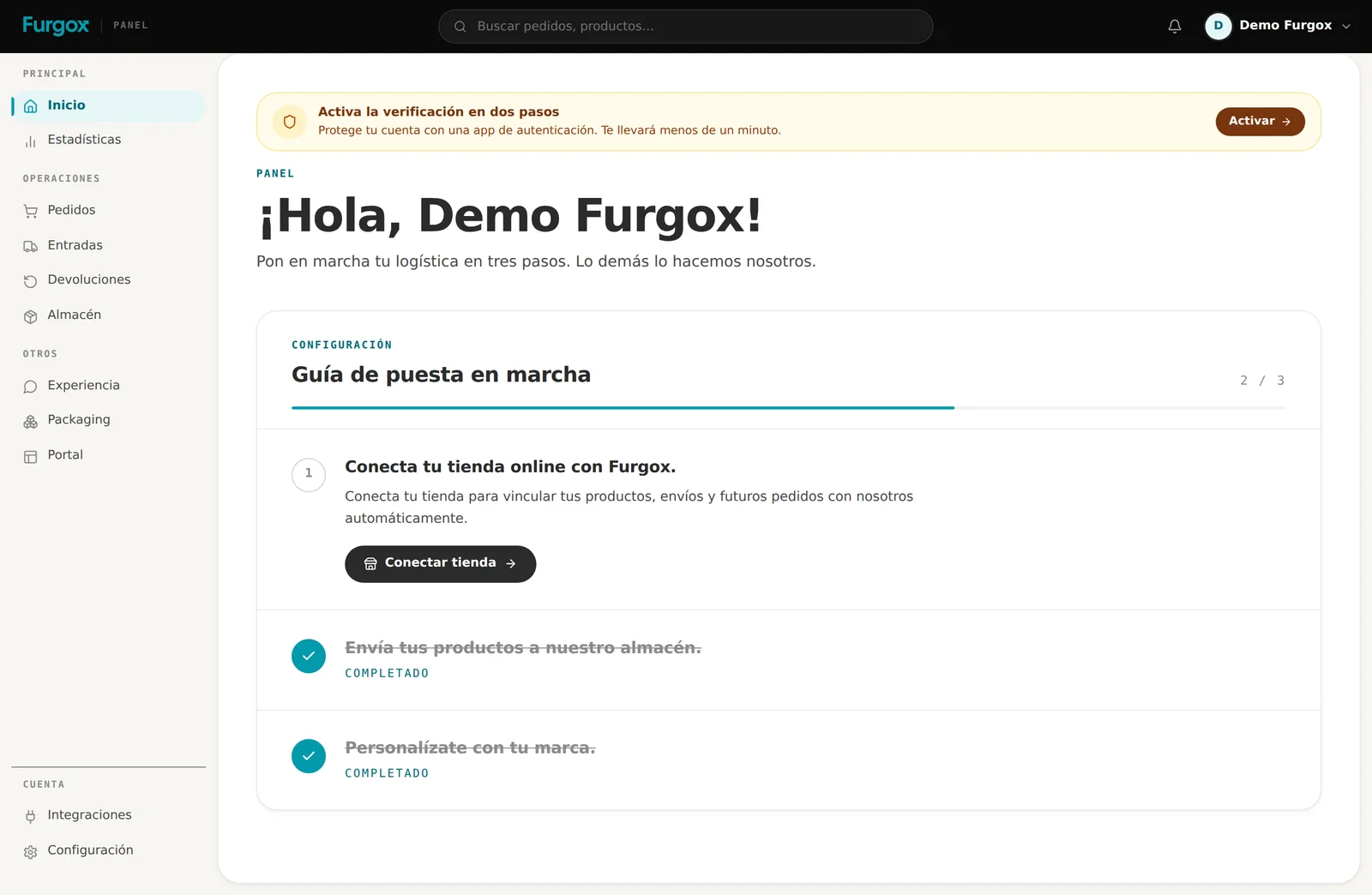
The left-hand menu follows the same order as your operation:
Inicio and Estadísticas: how things are going.
Pedidos: what goes out to your customers.
Entradas: what you send to us.
Devoluciones: what comes back.
Almacén: what you have and how much is left.
Experiencia, Packaging and Portal: how your brand looks to the buyer.
Integraciones and Configuración: your stores, your team and your billing.
What stays with you
Furgox doesn't touch your relationship with your customer. Prices, promotions, refunds and tone are yours: we're the physical part.
Selling and setting your prices, in the store you already have.
Looking after your customer and deciding your returns policy.
Deciding what stock to send us and when to restock.
FAQ
Do I have to change store or platform?
No. Furgox connects to the one you already use and changes nothing about your storefront.
Can I have several stores?
Yes, even on different platforms, all against the same stock, up to your plan's limit.
What about what I'm already selling today?
Nothing stops: you connect, send us the goods whenever you like, and as soon as your stock is here we start picking new orders.
Missing context to make a decision? Message us from the panel chat.