Your panel ships with a setup guide on the home screen listing the essential steps. This article is that same guide, told calmly and with links to each detailed walkthrough.
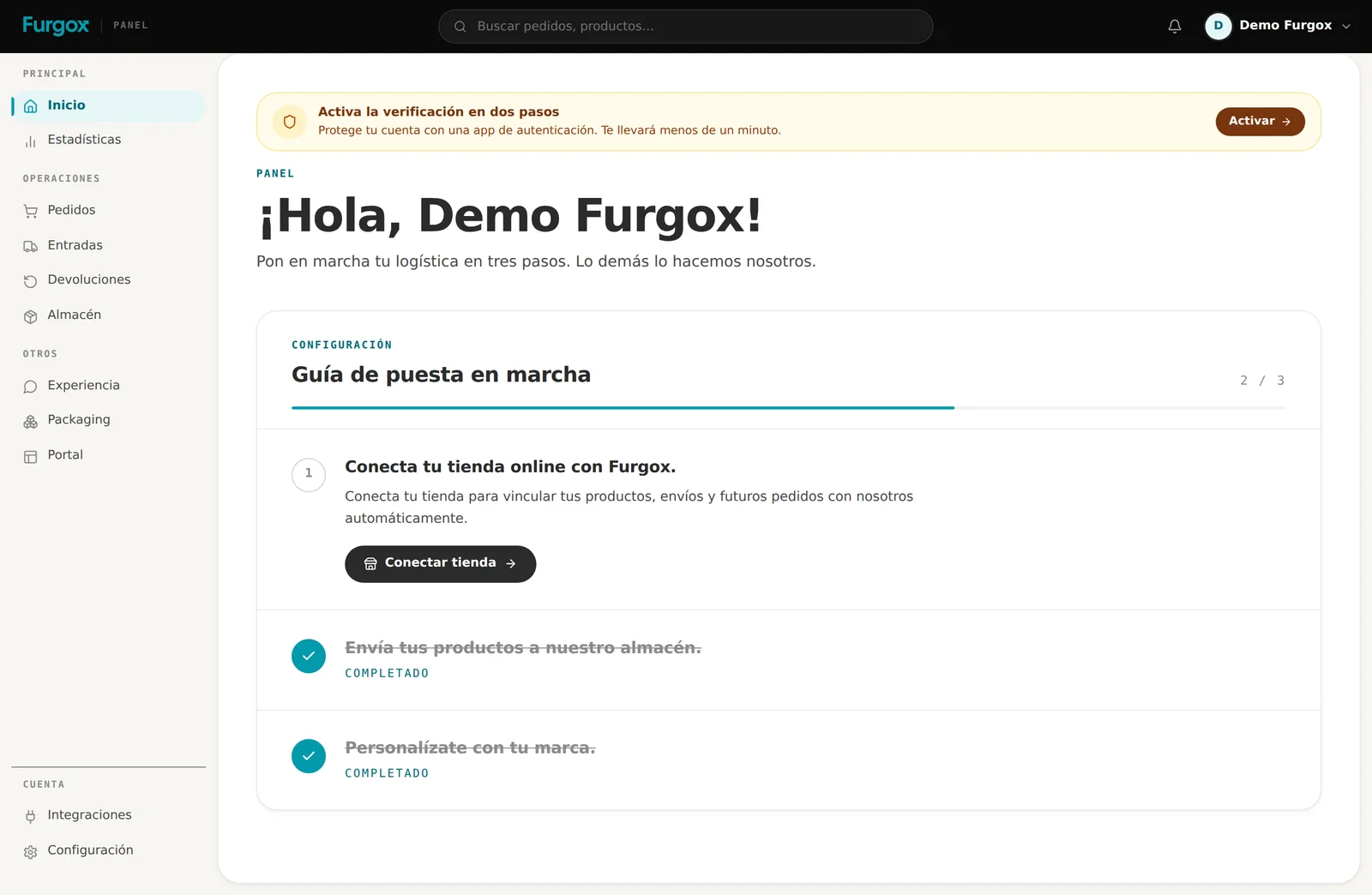
Step 1 · Connect your online store
No connected store means no catalogue and no orders, so this is always where you start. Two minutes on Shopify and WooCommerce, about five on PrestaShop and Squarespace, which need a key.
→ Connection guides by platform
Tip: connect it even if you're not sending stock yet. That way the catalogue is already here and the inbound takes half the time.
Step 2 · Send your products to the warehouse
Create your first inbound: what you're sending, how many units, how the goods arrive and who applies the labels. Print the delivery note, stick it on every package and ship it.
→ How to create an inbound properly
This is where people get stuck most, and almost always for the same reasons: quantities that don't match or labels that can't be read. Five careful minutes here save you days of incidents.
Step 3 · Make it yours
This is what keeps the end customer from noticing there's a third party involved:
Experiencia: the emails your buyer receives, with your logo and sender.
Packaging: the material we pack your orders with.
Portal: the returns page with your branding.
→ Configure your returns portal
Step 4 · Your first order ships itself
There's nothing to press. Once your goods are received and your store is connected, the first order that comes in joins the warehouse queue, gets picked and leaves with its tracking number.
→ What each order status means
Quick checklist
Store connected and catalogue imported.
First inbound created, delivery note applied, and shipped.
Inbound received and completed (your stock now shows under Almacén).
Emails, packaging and portal carrying your brand.
Team invited, if you're not going solo.
Two-step verification enabled.
The most common first-week trip-ups
Shipping goods before creating the inbound: with no delivery note we can't tell whose they are.
Connecting the store and waiting for orders without having sent us stock yet.
Selling to countries we don't serve: check where you ship before launching a campaign.
Leaving the returns portal unconfigured and finding out with the first return.
Want us to review your setup before real orders start? Message us from the panel chat.